
Have you accidentally deleted an important Facebook post and can no longer find it? Don’t stress – in this guide, we’ll show you every possible way to recover a deleted Facebook post in 2026, with simple steps for Android, iPhone, and desktop users. Plus, we’ll explain what works, what doesn’t, and how long you have to recover before Facebook erases it forever.
Can You Recover a Deleted Facebook Post? (Quick Answer)
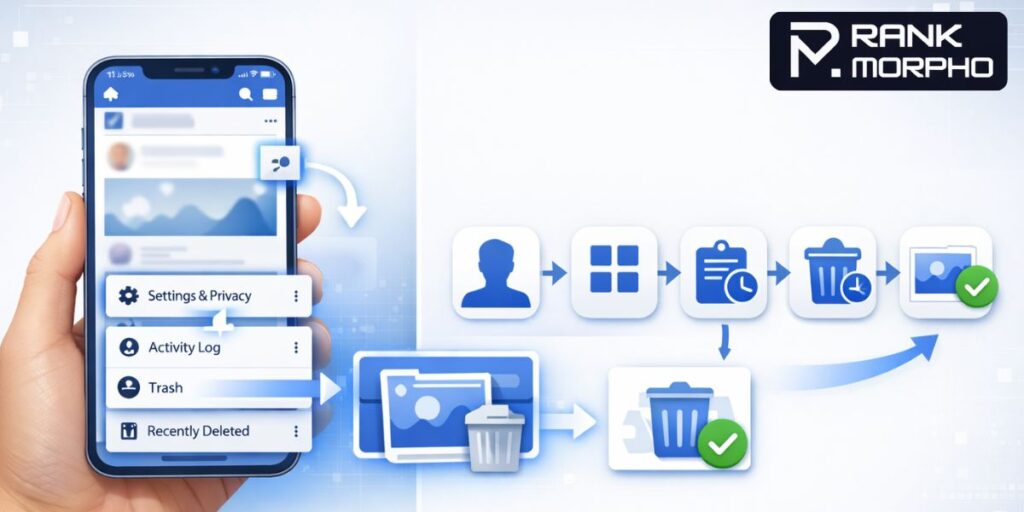
Yes – but only if Facebook still has it. When you delete a post, Facebook usually moves it to the Trash (Recycle Bin) for about 30 days. If you act within this time window, you can restore it. After 30 days, the post is permanently removed and cannot be restored through the usual methods.
Step-by-Step: Recover a Deleted Facebook Post (Mobile – iPhone & Android)
1. Open the Facebook App
- Unlock your phone and open the Facebook app.
- Make sure you’re logged into the account where you deleted the post.
2. Go to Your Profile
- Tap on your profile picture or name to go to your personal timeline.
3. Tap the Three Lines / Menu
- On most Android & iPhone versions, this is the hamburger icon (☰) or the three dots on your profile page.
4. Select Archive
- From the menu, choose Archive. (Don’t confuse this with Activity Log.)
5. Tap Trash or Recycle Bin
- In the Archive screen, locate the Trash/Recycle Bin option – this displays posts deleted within the last 30 days.
6. Pick the Post You Want to Restore
- Scroll through your deleted posts and find the one you want back.
7. Tap Restore
- Once selected, hit Restore and confirm. The post will reappear on your timeline exactly as before.
Also Read: How to Find Your Facebook URL in Seconds (Mobile & Desktop Guide)
Recover Deleted Facebook Post on Computer (Desktop)
- Open Facebook in your browser and sign in.
- Click your profile picture → go to your profile page.
- Click the three dots near your profile section → choose Archive.
- On the left sidebar, select Trash / Recycle Bin.
- Find the deleted post and click Restore.
Important to Know: Time Limits & Restrictions
✔ 30-Day Rule – Facebook keeps deleted posts in Trash for about 30 days. After that, they’re gone forever from Facebook’s servers.
✔ Archived vs. Deleted – If you archived a post instead of deleting it, it’s stored indefinitely in your Archive and can be restored at any time – this is different from Trash.
✔ Permanent Delete – If you permanently deleted the post (after 30 days) or emptied the Trash, standard recovery won’t work.
Can You Recover Posts Deleted More Than 30 Days Ago?
If your post is older than 30 days, Facebook’s Trash won’t have it. In this case, try these alternatives:
Download Your Facebook Data
You can ask Facebook to download all your account data, including posts. Sometimes deleted content is included if it existed during the backup.
To do this:
- Go to Settings & Privacy → Settings.
- Click Your Facebook Information → Download Your Information.
- Choose Posts and set the date range.
- Create the file and download it when ready.
This is NOT guaranteed to restore deleted posts, but it gives you the best chance if they’re old.
Extra Tips (What Most Guides Miss)
✅ Check Notifications: If you recently deleted a post, sometimes its preview appears in your notifications – tapping it can sometimes reveal the content.
✅ Look at Screenshots / Camera Roll: If you posted a photo or text you typed yourself, you might find it in your phone’s gallery or screenshots.
✅ Ask Friends: If someone shared or reacted to your post, check their activity – they might have a copy or screenshot.
Also Read: How to Export Facebook Page Insights to Google Sheets Automatically (Step-by-Step Guide)
Final Thoughts
Accidentally deleting a Facebook post can be scary, but most posts can be recovered easily within 30 days using the Trash feature. Follow the steps above carefully, and make sure you act quickly. If the post is older, don’t panic – the Download Your Information method gives you a final chance to retrieve what you lost.
Frequently Asked Questions (FAQs)
1. Can I recover a Facebook post after permanently deleting it?
No. Once a post is permanently deleted from the Trash (or after 30 days), Facebook removes it from its servers. In this case, recovery is not possible through normal methods. However, you can try downloading your Facebook data to check if a copy is available.
2. How long do deleted Facebook posts stay in Trash?
Deleted Facebook posts stay in the Trash (Recycle Bin) for 30 days. During this period, you can easily restore them. After 30 days, they are automatically and permanently deleted.
3. Where is the Trash folder on Facebook?
You can find the Trash folder by going to:
Profile → Three Dots → Archive → Trash (Recycle Bin)
This works on Android, iPhone, and desktop versions of Facebook.
4. Can I recover a deleted Facebook post without the Trash folder?
If the post is not in Trash, recovery becomes difficult. Your only option is to check the Download Your Information section in Facebook settings to see if the deleted content is stored in your backup data.
5. Will restoring a deleted Facebook post bring back likes and comments?
Yes. If you restore the post within 30 days from the Trash folder, it will return with its original likes, comments, and shares exactly as before.
Written by Rank Morpho Team
Read more articles by the author → Rank Morpho