
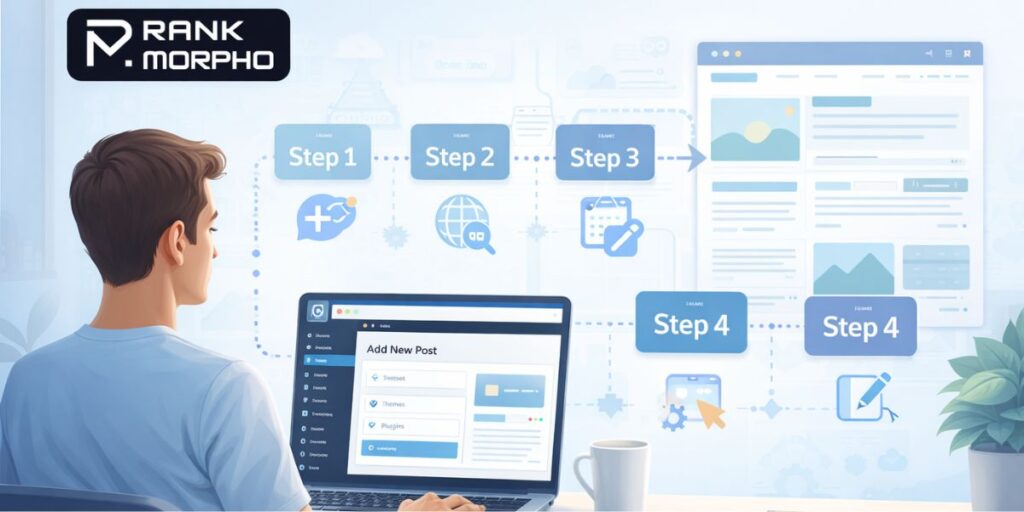
Creating a blog on WordPress sounds complicated-until you see how simple it actually is.
Most beginners fail not because WordPress is hard, but because they follow incomplete or confusing guides. They jump steps, choose the wrong WordPress version, or spend money where it’s not needed.
This guide will show you exactly how to create a blog site on WordPress, step by step, with no confusion, so you don’t need to search Google again.
First: WordPress.com vs WordPress.org (Very Important)
This is where most beginner guides typically fall short.
❌ WordPress.com
- Limited control
- Ads you can’t remove
- Not ideal for serious blogging
✅ WordPress.org (What We’ll Use)
- Full control
- SEO friendly
- AdSense & monetization ready
👉 Whenever people say “WordPress blogging,” they usually mean WordPress.org.
Also Read: What Information Should NOT Be Included in Blogs? (Avoid These Mistakes)
What You Need Before Starting (Reality Check)
To create a WordPress blog, you need only three things:
- Domain name (your blog address)
- Web hosting (where your blog lives)
- WordPress installation
That’s it. No coding. No tech skills.
Step 1: Choose a Domain Name
Your domain name should be:
- Short
- Easy to remember
- Related to your topic
Example:
- techguidehub.com
- bloggrowthtips.com
- rankmorpho.com
👉 Avoid numbers, hyphens, and confusing spellings.
Step 2: Buy Web Hosting (Beginner-Friendly)
Hosting is what makes your blog live on the internet.
For beginners:
- Choose a reliable, WordPress-friendly host
- Make sure it offers a 1-click WordPress install
Most hosting providers give:
- Free domain (1 year)
- Free SSL
- Easy dashboard
👉 Don’t buy expensive plans in the beginning.
Step 3: Install WordPress (Takes 2 Minutes)
Once hosting is active:
- Log in to your hosting dashboard
- Find “Install WordPress”
- Click → Fill basic details → Install
That’s it.
You now officially own a WordPress blog.
Step 4: Log in to WordPress Dashboard
Visit:
yourdomain.com/wp-admin
Log in using the details you created.
This is your control panel-from here, everything is managed.
Step 5: Choose a Clean WordPress Theme
Most guides overcomplicate this part.
Beginner Rule:
- Choose a simple, fast, clean theme
- Don’t chase fancy designs
Good themes:
- Astra
- GeneratePress
- Kadence
👉 You can change themes anytime. Don’t stress.
Also Read: Is Blogging Still Worth It in 2026? An Honest Breakdown
Step 6: Essential WordPress Settings (Don’t Skip)
Go to Settings → General:
- Site title
- Tagline (short description)
Go to Settings → Permalinks:
- Select Post name
- Save changes
This step is critical for SEO.
Step 7: Install Only Essential Plugins
Too many plugins can lead to a slow site (another mistake beginners often make).
Install only:
- SEO plugin (Rank Math / Yoast)
- Security plugin
- Cache plugin
👉 More plugins ≠ , better blog.
Step 8: Create Important Pages First
Before writing blogs, create these pages:
- About
- Contact
- Privacy Policy
- Disclaimer
These help with:
- Trust
- AdSense approval
- Professional look
Step 9: Write Your First Blog Post
Now comes the fun part.
Go to:
Posts → Add New
Tips for your first post:
- Write for humans, not Google
- Use simple language
- Solve one problem clearly
👉 Don’t aim for perfection. Aim for clarity.
Step 10: Publish & Share (But Don’t Spam)
Once published:
- Share on social media
- Don’t spam links
- Focus on consistency
One good post is better than ten rushed ones.
Common Beginner Mistakes (Avoid These)
Most blogs don’t grow because of these mistakes:
- Choosing the wrong WordPress version
- Buying unnecessary tools
- Writing without understanding the audience
- Ignoring basics like pages & settings
Avoid these, and you’re already ahead.
How Long Does It Take to Create a WordPress Blog?
Real answer:
- Setup: 1–2 hours
- First post: 1–2 hours
👉 In one day, you can have a fully functional blog site.
Final Truth (No Confusion)
Creating a blog site on WordPress is easy.
Growing it takes patience.
If you follow the steps in order, you won’t get stuck, confused, or waste money.
Key Takeaway for Beginners
- WordPress.org is the right choice
- Keep things simple
- Focus on content, not design
- Learn as you grow
Now you know exactly how to create a blog site on WordPress, from start to publish.
Frequently Asked Questions (FAQs)
1. Is WordPress free to use for blogging?
Yes, WordPress software is 100% free, but to create a live blog, you need:
- A domain name
- Web hosting
These are paid, but WordPress itself doesn’t cost anything.
2. Do I need coding skills to create a WordPress blog?
No.
You can create a complete WordPress blog without any coding knowledge. Everything works using clicks, settings, and a visual editor.
3. Which is better for beginners: WordPress.com or WordPress.org?
For serious blogging, WordPress.org is better because:
- Full control over your site
- Better SEO
- Monetization options (Ads, affiliate links)
WordPress.com is more limited.
4. How much does it cost to start a WordPress blog?
On average:
- Domain + hosting: low yearly cost
- Themes & plugins: optional
You can start a professional WordPress blog on a beginner’s budget.
5. How long does it take for a WordPress blog to start getting traffic?
Usually:
- First few months: learning & content
- 3–6 months: early traffic
- 6+ months: consistent growth (with regular posting)
Blogging is not instant, but it is long-term and sustainable.