Blogging is no longer just a hobby; it has become a profession. Today, it’s a powerful way to share ideas, build a personal brand, create authority in a niche, and even generate income online. The biggest question beginners usually ask is:
“Do I need money to start a blog?”
The honest answer is no.
You can start blogging completely free. There are several reliable platforms that allow you to create and publish content without spending a single dollar. If you are a student, working professional, stay-at-home parent, or someone who simply wants to express ideas online, free blogging platforms are the perfect starting point.
This detailed guide will help you understand:
- What free blogging platforms are
- Which platform is best for beginners
- How to start step-by-step
- Common blogging mistakes to avoid
- Basic SEO tips
- How to grow your blog from zero
Let’s clear all your doubts and help you start confidently.
Why Start with Free Blogging Platforms?
When you are new to blogging, there is a lot to learn:
- How to write engaging content
- How to choose the right niche
- How search engines work
- How to attract readers
- How to stay consistent
If you invest money immediately in hosting, domain names, and premium tools, it can create unnecessary pressure. Free platforms allow you to:
✔ Learn without financial risk
✔ Experiment with different topics
✔ Improve your writing skills
✔ Understand your audience
✔ Test whether blogging is right for you
Once you gain experience and start getting traffic, you can upgrade to a paid plan or a self-hosted blog.
Best Free Blogging Platforms for Beginners
Let’s explore the most trusted free blogging platforms available today.
1. WordPress.com
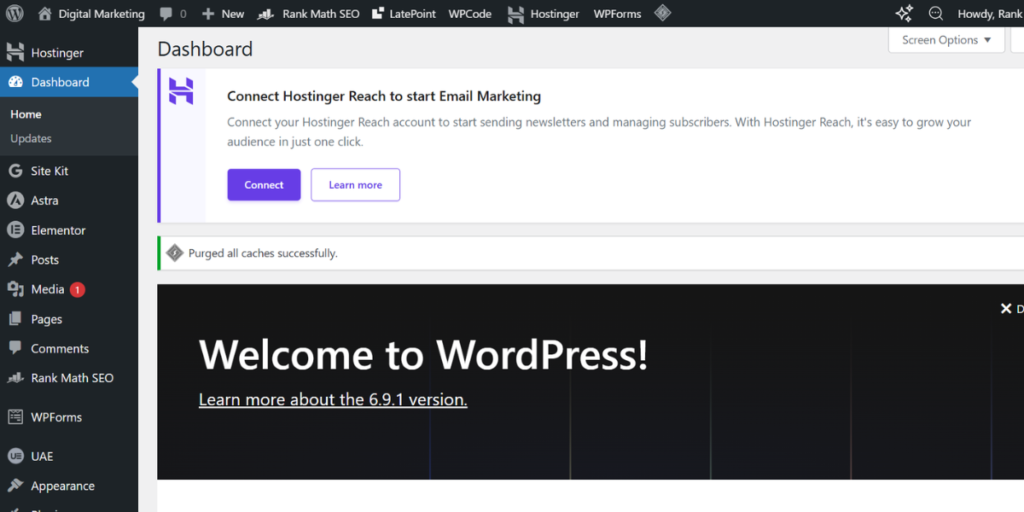
This is one of the most popular blogging platforms in the world. Millions of blogs are hosted here.
Why Choose It?
- Free hosting included
- Ready-to-use themes
- Easy setup process
- No technical knowledge required
Pros:
- Beginner-friendly dashboard
- Mobile app available
- Strong community support
- SEO-friendly structure
Cons:
- Limited customization in the free plan
- Ads may appear on your blog
- No full control over monetization
Best For: Beginners who are serious about blogging and may want to upgrade in the future.
📌 Image Suggestion:
Add an image here showing the WordPress dashboard or theme selection screen.
2. Blogger
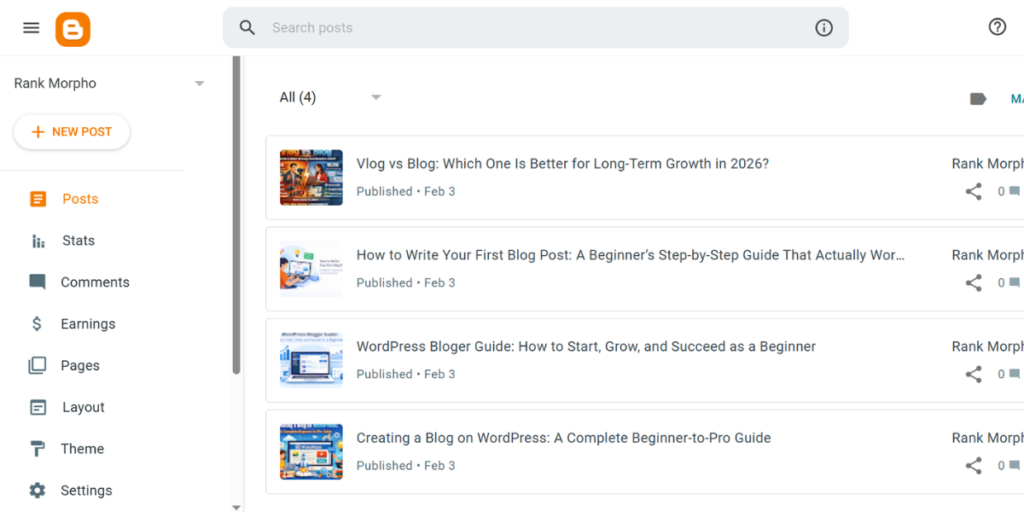
Blogger, owned by Google, is one of the oldest free blogging platforms. If you have a Gmail account, you can create a blog within minutes.
Why Choose It?
- Completely free
- Backed by Google
- Simple and stable system
Pros:
- Free .blogspot.com domain
- Easy integration with Google AdSense
- Secure and reliable hosting
- Simple editor
Cons:
- Limited design templates
- Fewer modern customization options
Best For: Beginners who want a simple and reliable platform with minimal complexity.
📌 Image Suggestion:
Add an image of the Blogger dashboard or blog editor interface.
3. Medium
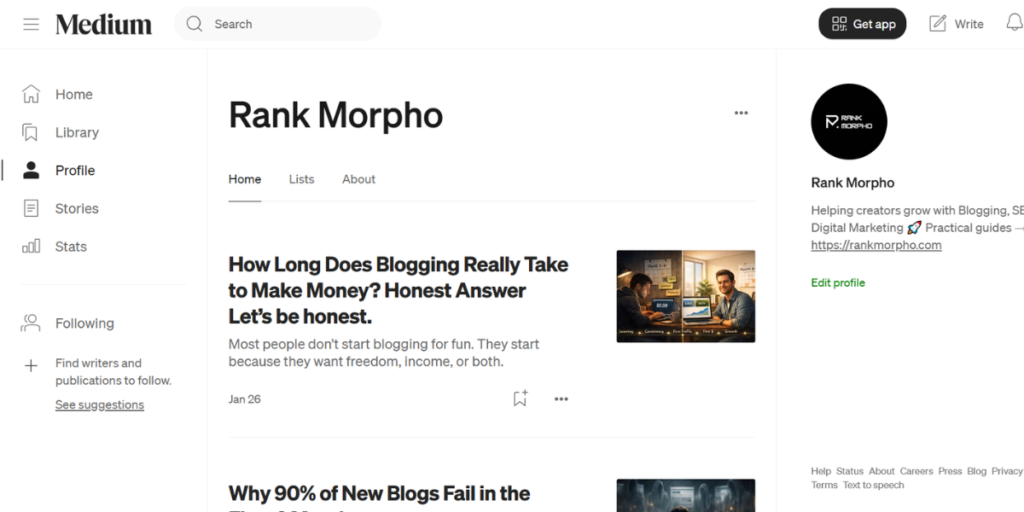
If your main focus is writing and you don’t want to worry about design, Medium is an excellent choice.
Why Choose It?
- Built-in audience
- Clean reading experience
- Simple publishing system
Pros:
- High domain authority (good for visibility)
- Fast indexing in search engines
- No technical setup required
Cons:
- Limited branding control
- You don’t fully own the platform
- Monetization options are restricted
Best For: Writers, storytellers, and opinion-based bloggers who want to focus purely on content.
📌 Image Suggestion:
Add an image showing a Medium article layout.
4. Wix
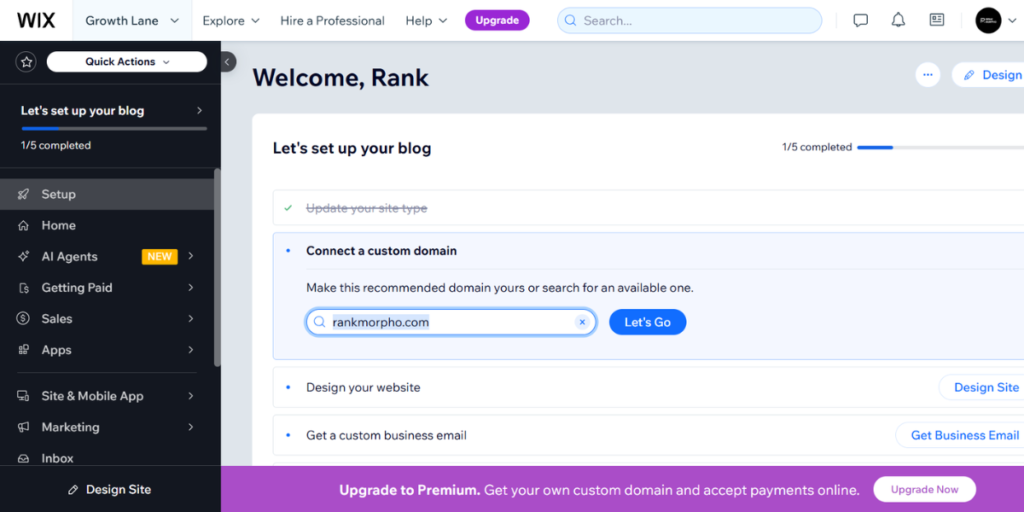
Wix is a drag-and-drop website builder that also offers free blogging features.
Why Choose It?
- Visual design editor
- No coding required
- Modern templates
Pros:
- Easy customization
- Professional-looking designs
- Free hosting included
Cons:
- Wix ads appear on the free plan
- Slower performance for large blogs
- Limited SEO flexibility compared to WordPress
Best For: Beginners who want full design control without technical knowledge.
📌 Image Suggestion:
Add an image of the Wix drag-and-drop editor.
5. Weebly
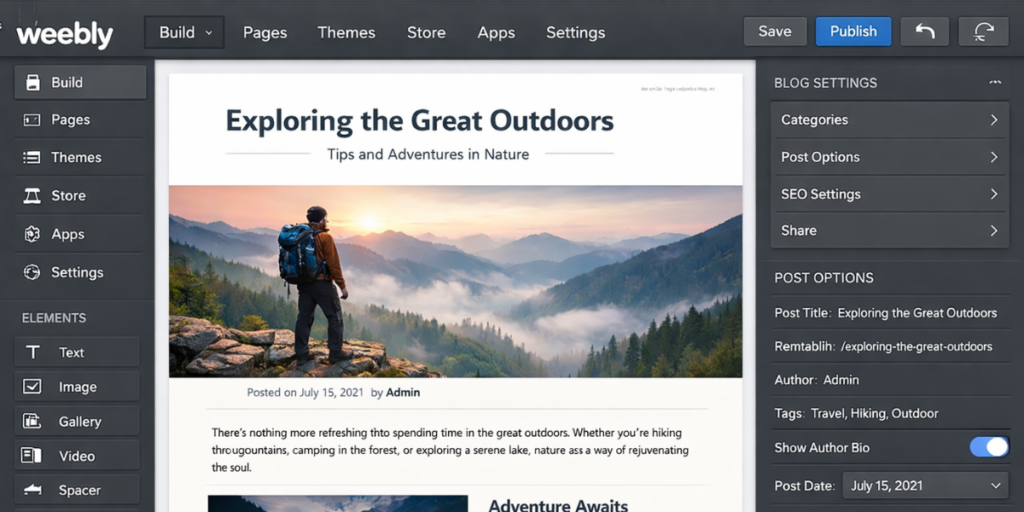
Weebly is similar to Wix and offers a simple drag-and-drop interface for building blogs.
Why Choose It?
- Beginner-friendly
- Free SSL security
- Simple setup
Pros:
- Easy blog creation
- Clean interface
- Hosting included
Cons:
- Limited advanced features
- Less design flexibility
Best For: Beginners who want a very simple and straightforward blogging experience.
📌 Image Suggestion:
Add an image of a Weebly blog template example.
How to Start a Free Blog (Step-by-Step)
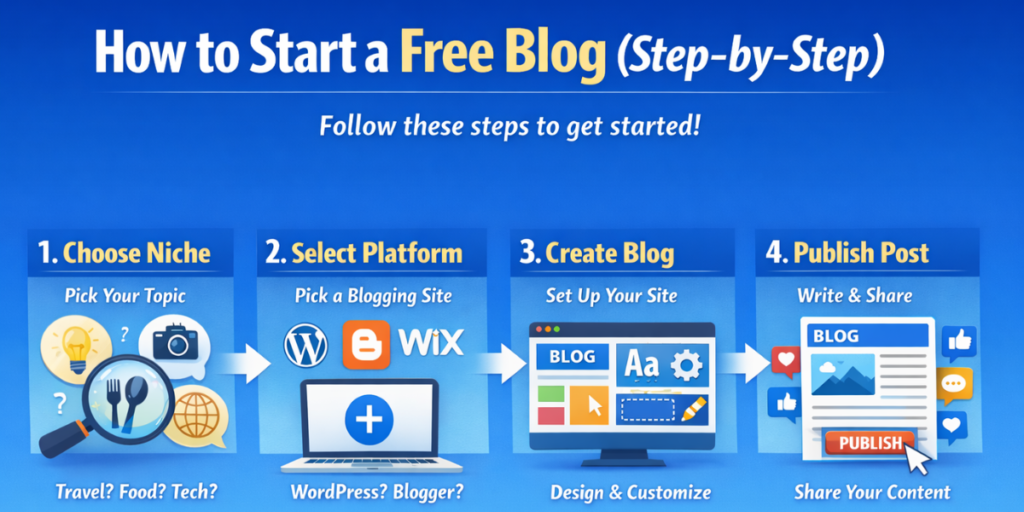
Here’s a simple process to follow:
Step 1: Choose Your Niche
Pick one topic you can write about consistently. Examples:
- Health & Fitness
- Personal Finance
- Technology
- Travel
- Education
Avoid writing about everything. Focus builds authority.
Step 2: Select Your Platform
If you want long-term growth → Choose WordPress.com
If you want simplicity → Choose Blogger
If you want built-in readers → Choose Medium
If you love design → Choose Wix or Weebly
Step 3: Create Your Blog Name
Choose a name that:
- Is simple
- Is easy to remember
- Reflects your niche
Example: FitLifeJourney, TechSimplified, MoneySmartTips
Step 4: Publish Your First Post
Your first post can be:
- Introduction post
- “Why I Started This Blog”
- Beginner’s guide in your niche
Focus on clarity and value.
📌 Image Suggestion:
Add an image here showing someone writing a blog post on a laptop.
Blogging Mistakes Beginners Should Avoid
Starting is easy. Growing is the challenge. Avoid these common mistakes:
1. Choosing the Wrong Niche
Writing about random topics confuses readers. Stick to one clear subject.
2. Ignoring SEO
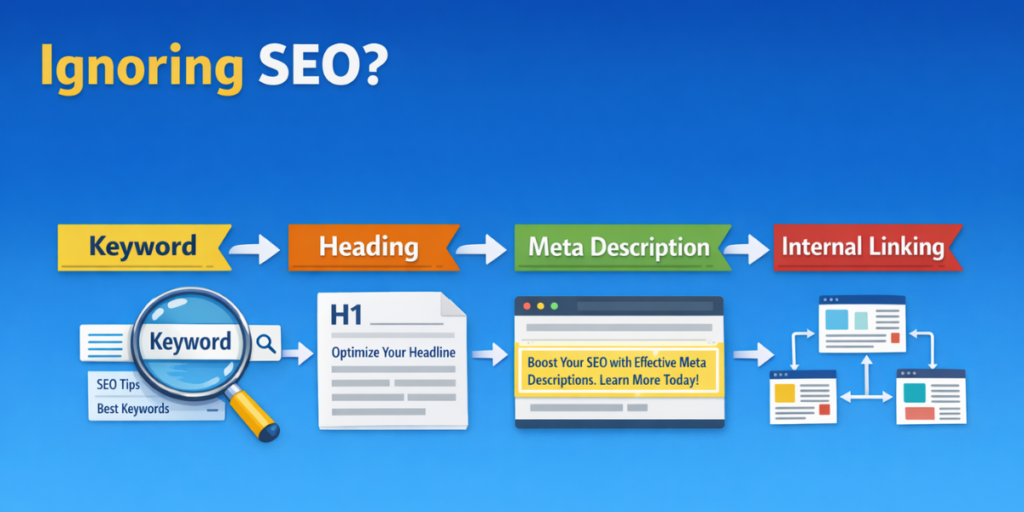
SEO (Search Engine Optimization) helps your blog appear in search results.
Basic SEO tips:
- Use keywords naturally
- Write clear headings (H2, H3)
- Add meta descriptions
- Use internal linking
- Optimize images
📌 Image Suggestion:
Add an infographic image explaining basic SEO structure.
3. Poor Content Quality
Don’t focus only on word count. Focus on:
- Clear language
- Proper formatting
- Short paragraphs
- Value-driven content
Always proofread before publishing.
4. Not Promoting Your Blog
Publishing is not enough. Share your posts on:
- Social media
- Online communities
- WhatsApp groups
- Email newsletters
Traffic does not come automatically in the beginning.
5. Inconsistent Posting
Consistency builds trust.
Even one post per week is better than random posting.
Create a content schedule and follow it.
6. Ignoring User Experience
Make sure your blog:
- Loads fast
- Is mobile-friendly
- Has readable fonts
- Is not cluttered with ads
Good user experience improves ranking and engagement.
7. Not Engaging with Readers
Reply to comments.
Answer questions.
Build relationships.
Audience connection is the foundation of long-term success.
Free Tools to Improve Your Blog
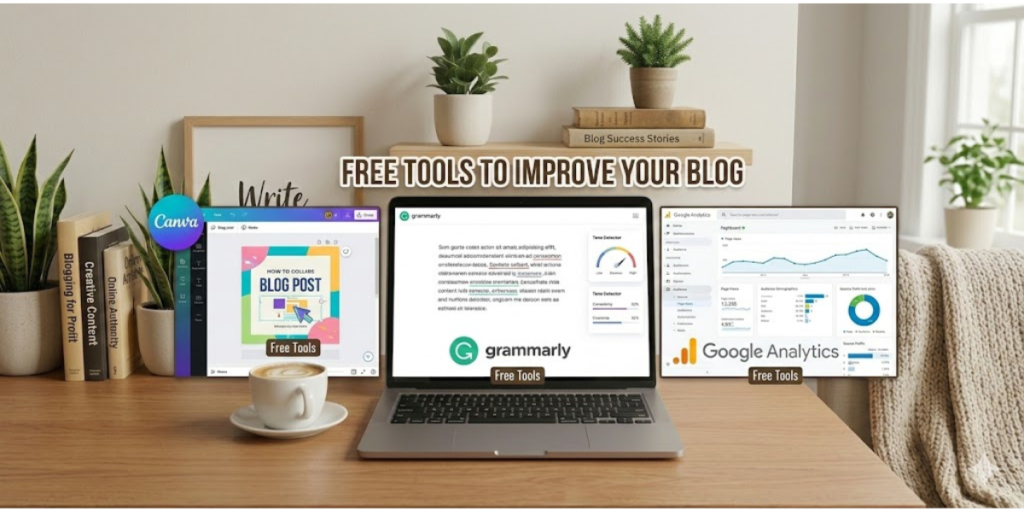
Here are some useful free tools:
- Canva – For creating blog images
- Grammarly – For grammar correction
- Unsplash – For free high-quality images
- Google Analytics – To track blog traffic
These tools can significantly improve the quality of your blog.
How to Grow Your Free Blog
Even with a free platform, you can grow successfully by:
- Writing long, helpful content
- Solving real problems
- Using keywords naturally
- Building backlinks
- Posting consistently
- Updating old posts regularly
When your traffic grows, you can monetize through:
- Affiliate marketing
- Sponsored posts
- Ad networks
- Selling digital products
Final Thoughts

Starting a blog today does not require money. Free blogging platforms make it possible for anyone to share ideas online without financial risk.
Whether you choose WordPress.com, Blogger, Medium, Wix, or Weebly, the most important thing is to start. Blogging success does not happen overnight. It takes patience, learning, and consistency.
Focus on creating valuable content. Improve step by step. Stay consistent.
Your first blog may not be perfect – and that’s completely fine. What matters is taking action.
Start today. Publish your first post. Keep learning. And slowly, your blog can grow into something powerful and rewarding.
Read Also: How to Start Blogging for Beginners: A Simple Step-by-Step Guide